Essay
How Claude got a broken lab instrument working in 20 minutes

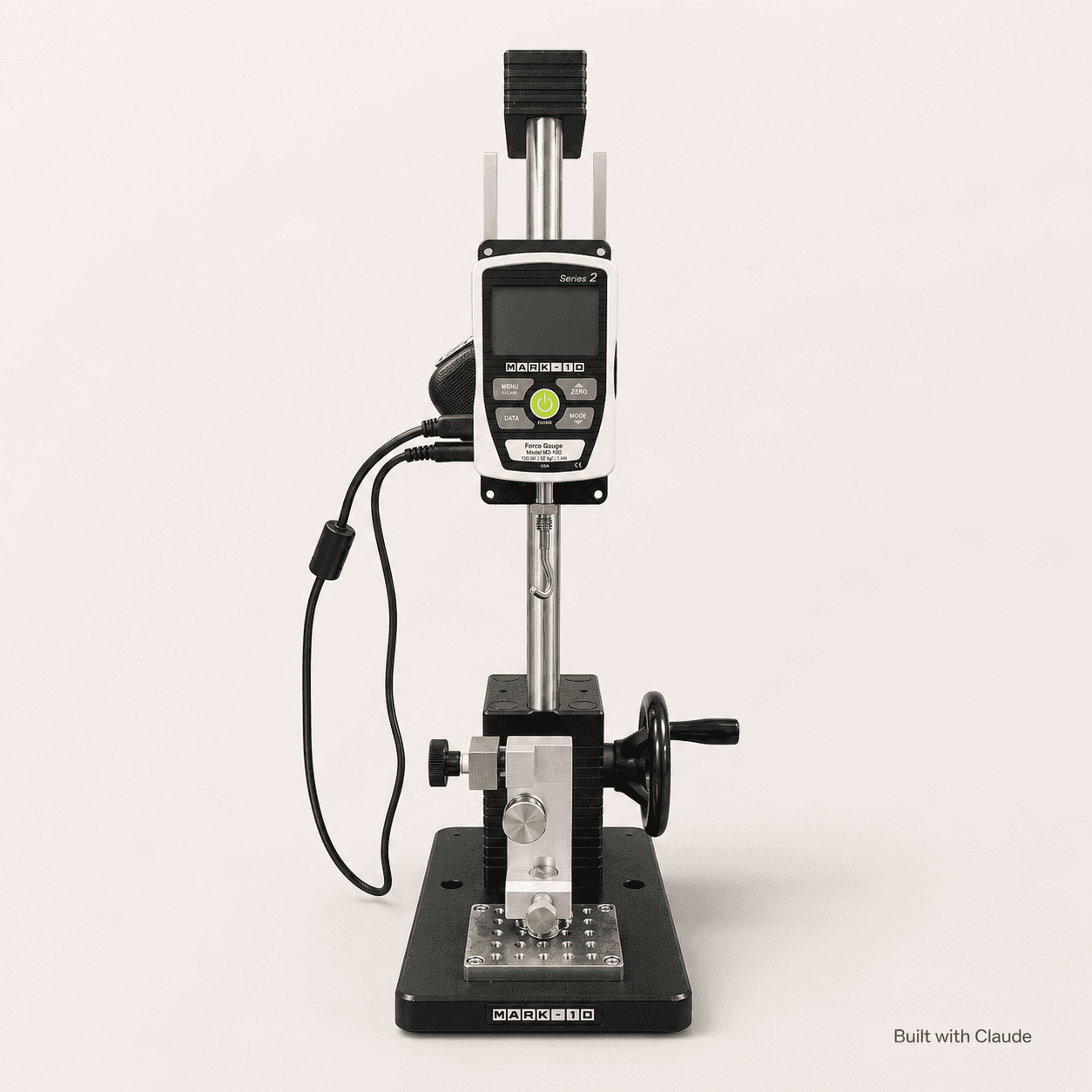
There's a force gauge sitting in my wife's research lab. Think of it as a precise digital scale, but for pulling and pushing instead of weighing. You hook something to it, pull, and it tells you exactly how hard. Labs use these to figure out how strong a material is before it breaks.
There's just one problem. The software that came with it stopped working on modern Macs a while back. The company that makes the gauge mostly sells to big institutional customers, and the Mac side of things rarely gets updated. So mostly, the gauge just sat there with numbers on its tiny screen and no way for anyone to actually record them.
I had a Sunday afternoon. We pointed Claude at it.
One wrinkle: I wasn't in the same room as the gauge. I wasn't even in the same building. My wife was at the lab, I was at home, and we were on FaceTime with her Mac screen shared over to me. I had remote control of her mouse and keyboard. So every command happened on her machine while I watched her cursor move, and every "okay, plug it in now" meant her actually walking over to the bench to plug in a cable.
Twenty minutes later we had a working app streaming live readings, drawing a real-time graph of every pull, and saving everything to spreadsheet files the lab could open and analyze.
Writing the app was the easy part. Lots of AI tools can write code. The interesting part of this build was the detective work before any code got written. That's usually the part that eats a whole weekend and needs a Mac expert leaning over your shoulder.
Starting from a photo
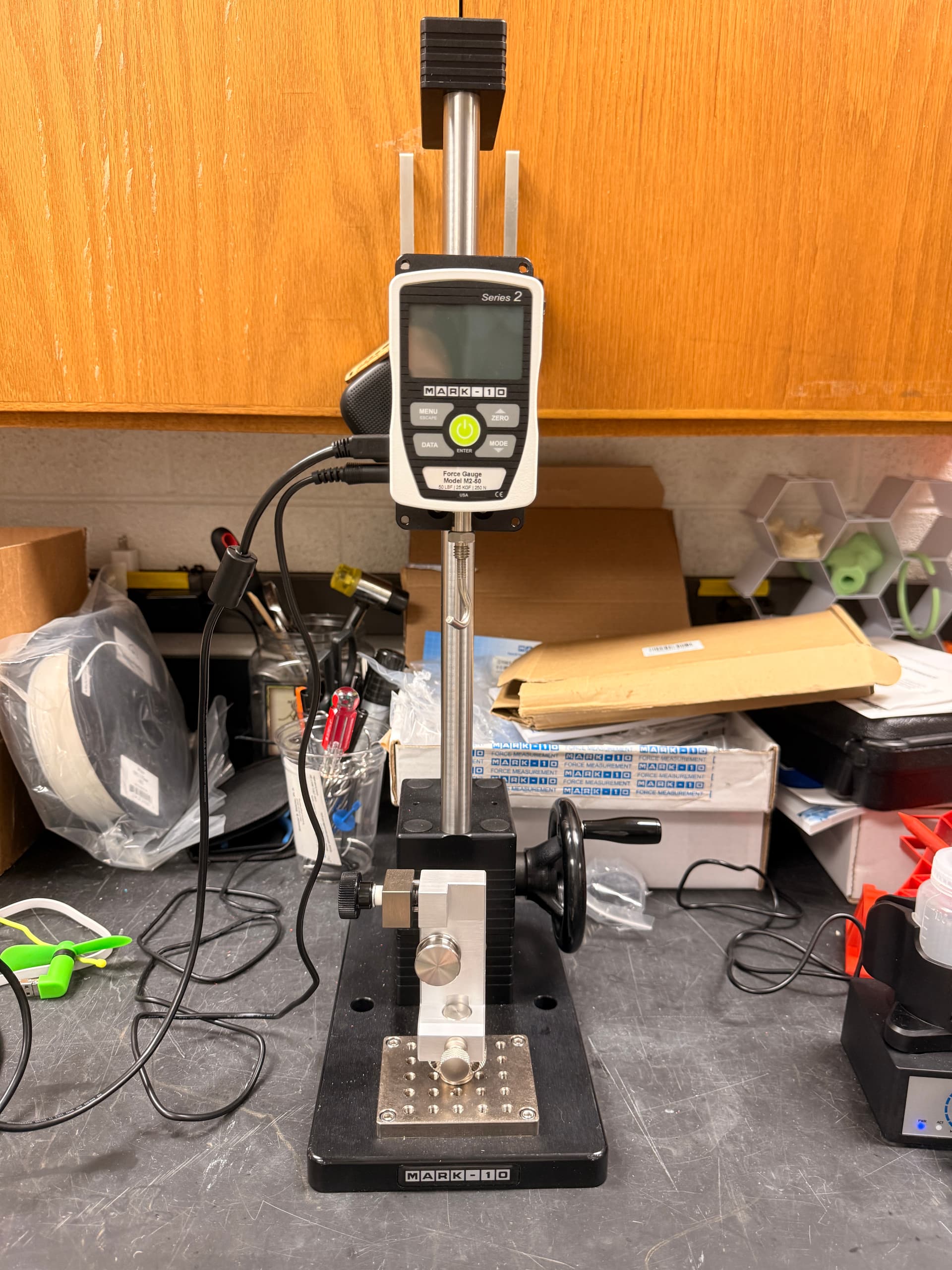
I sent Claude a picture of the rig and asked what it was. Within seconds: a Mark-10 Series 2 M2-50 force gauge. Claude pulled up the official manual, read the parts that mattered for talking to it over a USB cable, and laid out a plan.
The plan had one rule: don't assume anything. Find out what's actually connected. Verify it works. Then build.
That order, problem first and code second, is what made the rest of this work.
Finding the chip
Inside every USB device is a tiny translator chip. Its job is to turn the device's signals into something the computer can understand. Macs need a small piece of software called a driver to talk to each kind of translator out there.
The lab's Mac had some Silicon Labs driver installed already, but nobody really knew if it was the right one, or if it was doing anything at all.
So Claude asked the Mac to list every USB device plugged in. The first command came back empty. Instead of getting stuck, it tried a different command and got an answer: the gauge uses a chip called CP210x, made by Silicon Labs.
Here's the weird part. Even though the Mac could see the gauge was plugged in, no software on the Mac could talk to it. The gauge was on the list. It was just silent. Like a phone number that rings forever.
That mismatch was the clue.
The dead driver
This is where I sat back in my chair.
Claude looked at the driver the lab had installed and noticed its date: April 6, 2016. Not a typo. Nine years old.
In 2020, Apple completely changed how drivers work on Macs. The old style of driver, the kind from 2016, was banned. On any Mac with an Apple chip in it (M1, M2, M3, M4), those old drivers simply cannot run anymore. It's like having a brand-new car and an 8-track tape player. The connectors don't fit. It's physically impossible.
So the "driver" the lab thought they had installed had been dead weight on every Mac it ever touched. Apple also doesn't include a built-in driver for this particular chip. Without the right modern driver, the gauge could never be heard.
Claude pointed us at the modern replacement, which Silicon Labs released in May 2025. It walked us through installing it, approving it (Apple makes you explicitly allow any new driver), restarting the Mac, and plugging the gauge back in.
This time, the Mac heard it.
A quick test confirmed the gauge was responding. We were finally talking to it.
Writing the app
The actual coding part was almost boring.
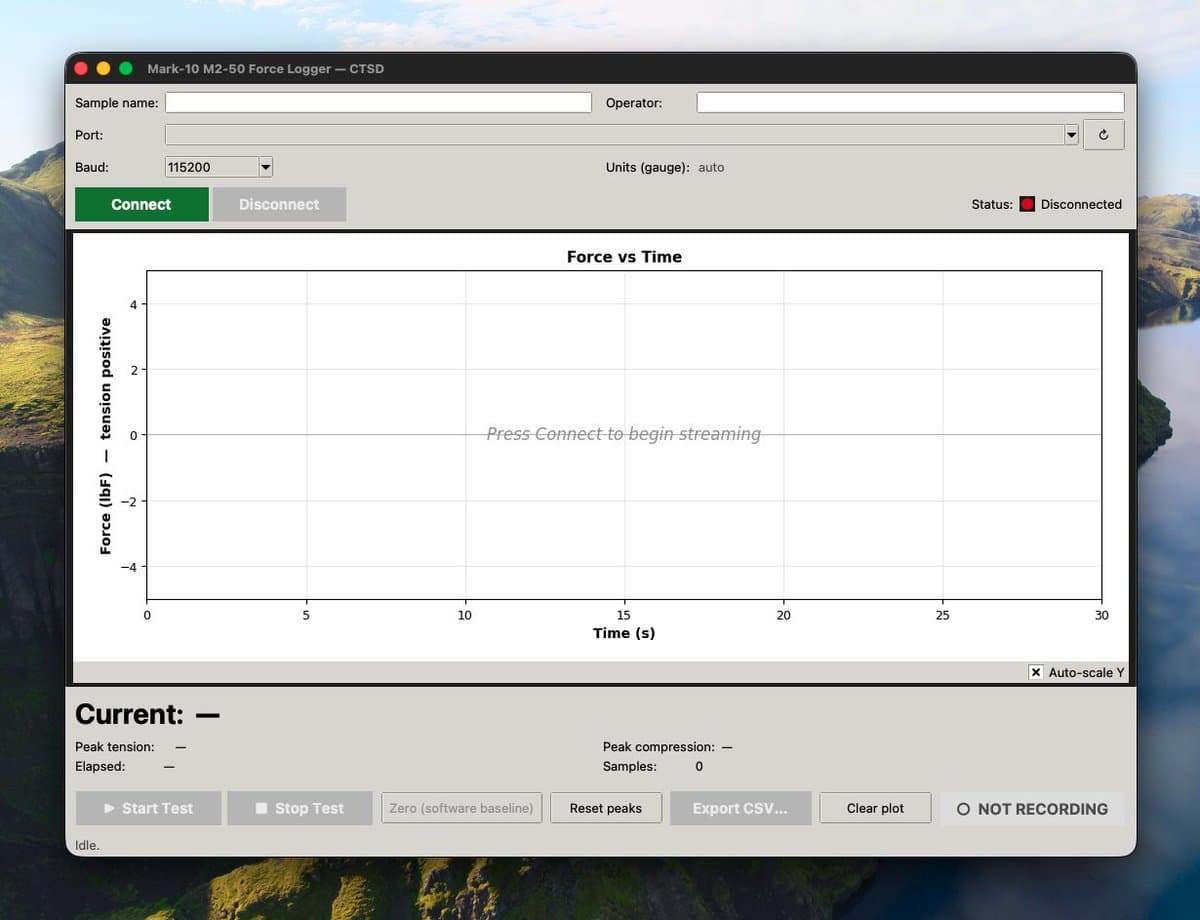
Claude wrote one Python file, about 800 lines. A window with a live graph, big numbers showing the current reading, buttons to start and stop a test, a save button. A separate process in the background to pull readings from the gauge many times a second, so the screen wouldn't freeze.
It also caught a tiny quirk I'd never have thought to ask about. The very first reading after the gauge wakes up always comes back blank, because the translator chip inside the cable needs a moment to settle. So the app sends a throwaway request first, ignores the empty response, then starts recording. The kind of detail you only normally discover after an hour of "why does it only work the second time?"
The blank window
We ran the app. The window opened. And it was completely white. Empty. No graph, no buttons, no readings. Just a blank box.
I assumed something was wrong with the code. Claude checked the gauge connection separately and confirmed data was still flowing. So it wasn't the gauge or the code.
Then it ran one tiny check and had the answer.
Python uses a separate graphics toolkit to draw its windows. The version of that toolkit included with Apple's built-in Python is from 2010. On newer Macs, that 2010 toolkit has a well-known bug where the window comes up totally blank. People have lost entire days to this.
The fix: install a newer version of Python (the one from python.org comes with a modern toolkit), rebuild the project, relaunch.
Ninety seconds.
What it looks like now
After that, it just worked. The app opens, automatically finds the gauge, and starts showing live data. A graph scrolls across the screen. The biggest pull and biggest push during a test get tracked separately. Hit Start Test, do your pull, hit Stop Test, hit Export, and you have a spreadsheet file with every measurement, timestamped down to the millisecond.
A few small rounds of polish later (flipping the graph so pulling goes up like a normal person would expect, adding color-coded buttons, a recording indicator that pulses red while a test is running) and it was a real lab tool. The lab can now run experiments and capture every measurement automatically.
Why this is the part that matters
The headline thing AI is supposedly good at is writing code. That's not what mattered here. I could find someone on the internet to write a Python app that reads from a force gauge. There's nothing rare about that.
What that person can't easily do, and what I couldn't have done on a Sunday afternoon, is the detective side. Three moments stand out.
When the Mac could see the gauge but nothing on the Mac could actually communicate with it, Claude immediately read that as a wrong driver. Not a broken cable. Not a dead gauge.
When the lab's installed driver was dated 2016, Claude knew without searching that Apple had banned that style of driver in 2020, and named the exact replacement to download.
When the window came up blank, Claude ran one small check, got the answer, and had a fix ready before I'd finished asking what was wrong.
That's the real shift. Five years ago, the path forward on a gauge like this was: hire a consultant, wait two weeks, pay them a few thousand dollars. Or give up and have the lab tech write numbers down by hand off the screen.
That math has changed. The whole rewrite is a Sunday afternoon now, done over FaceTime by someone who wasn't even in the same building as the hardware.
The spreadsheet from the first real test is sitting on a desktop. It has 1,273 rows in it.